
Install App on iOS Device
The new ShadConnect Contractor app is a PWA app and does not need to be installed from an app store like a traditional mobile app. The app is simply installed from the website link. You will need to follow this process to install the app for all functions to operate fully.
Please note your iPhone/iPad must be on at least iOS version 12 or above. If you are on an older version please update to the latest iOS version before proceeding
Portal URL
contractor.shadconnect.com.au
Video Guide
Instructions
Open the URL below with the Safari internet browser (must be Safari on a Apple device as other browsers cannot install the app) then follow the below steps
You must use Safari browser to install the app on a iOS device
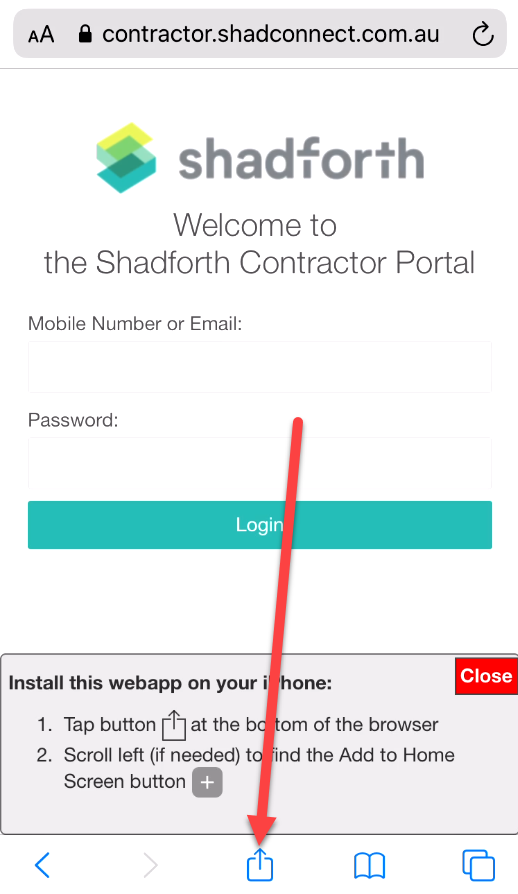
- Once the site loads click the icon below at the bottom of Safari window.

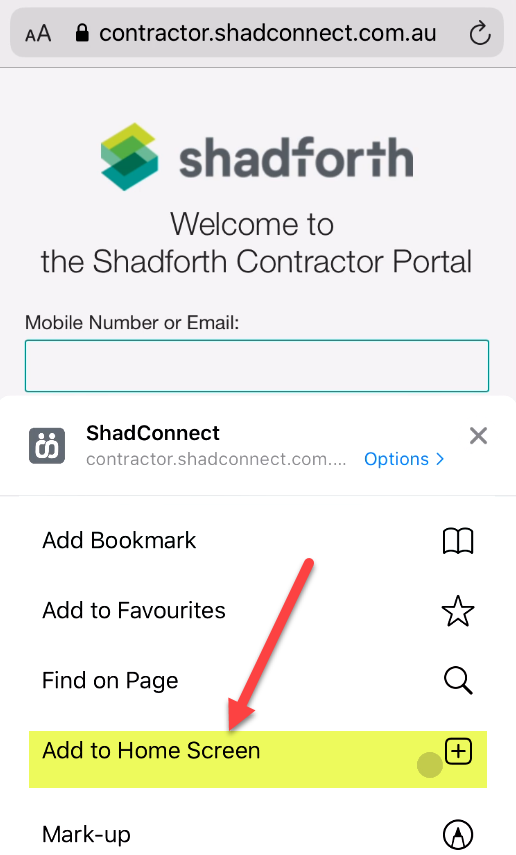
- Scroll down and click the “Add to Home Screen” button.

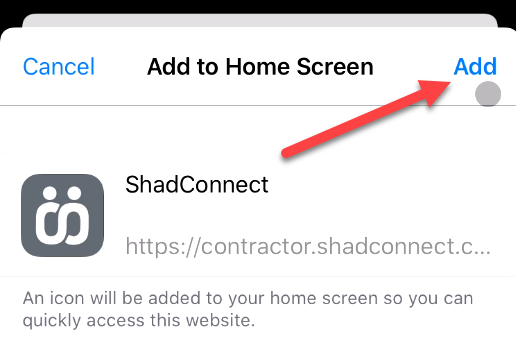
- Then click the “Add” button at the top of the screen.

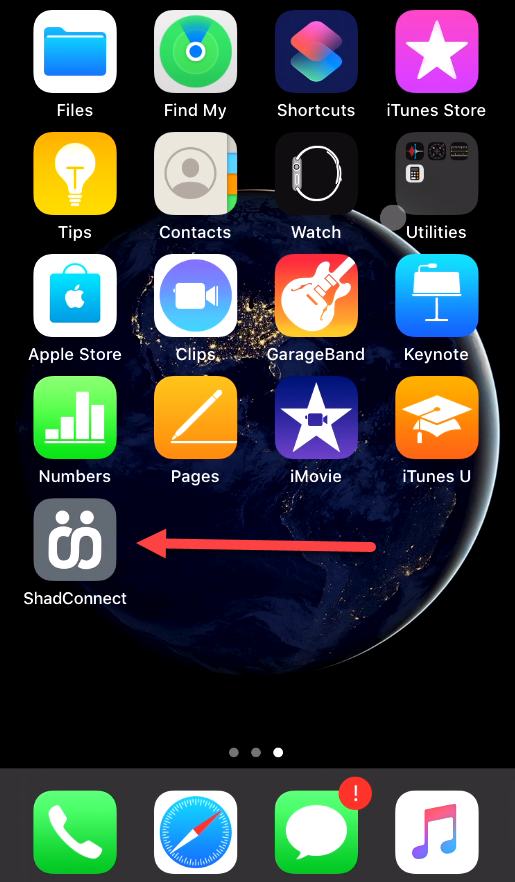
- The App is now installed. Now click the home button and find the ShadConnect app on your home screen and run from here
-


